Uniform
A general purpose 3D editor focused on performance and customization.
Professional-Grade 3D Editor
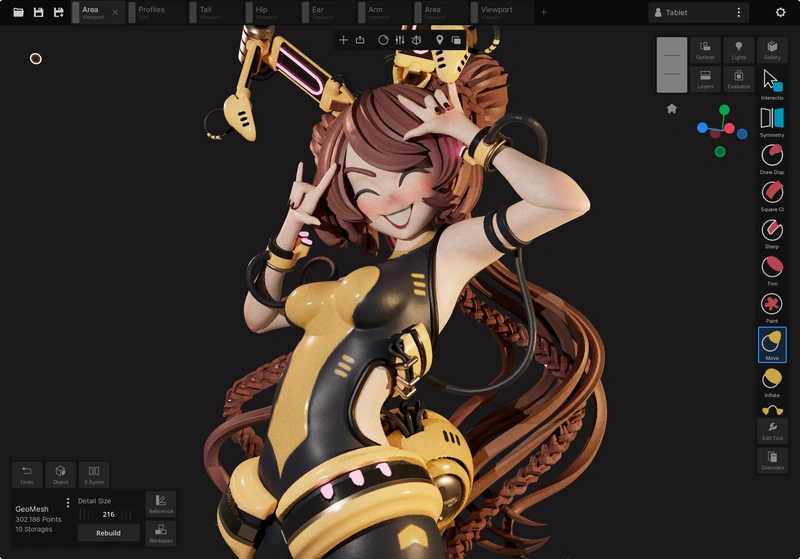
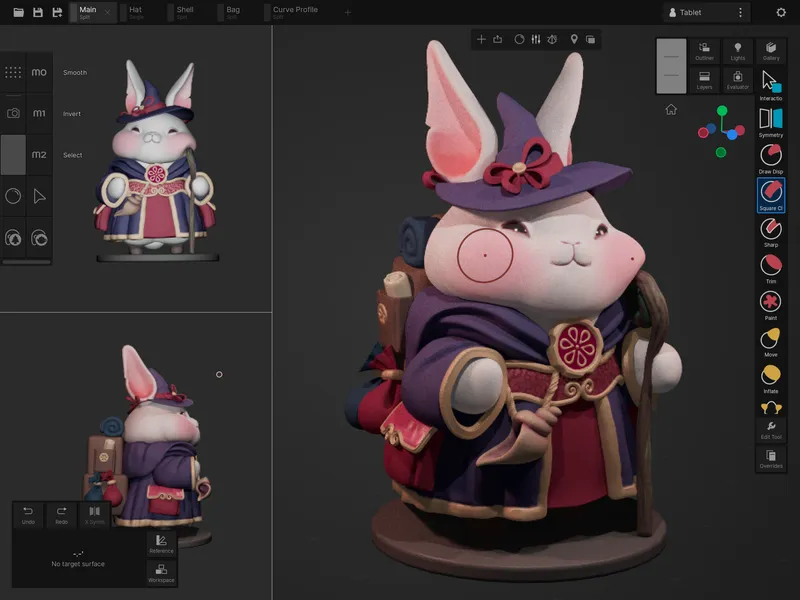
Uniform is a fully featured 3D editor targeted at professional production. Create 3D assets from start to finish or integrate Uniform into your existing pipeline. Uniform is designed to be flexible and customizable to fit your needs.
Explore Uniform's Capabilities
Here are some examples of popular workflows Uniform can help you with.
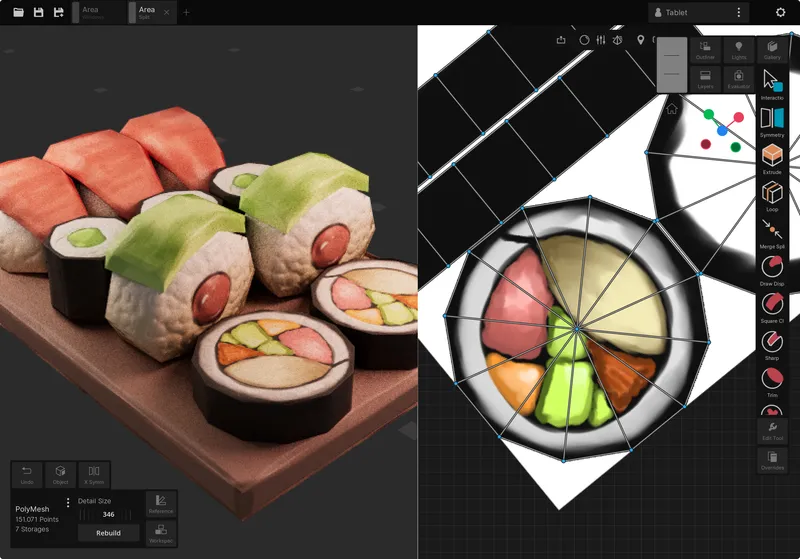
Texture Painting
Create hand-painted textures for 3D models with high performance. Use the brush tools to paint directly on the model, or use the UV editor to paint on a 2D canvas.
- Flat, Unlit Shading
- Layer Blend Modes
- Non-Destructive Masking
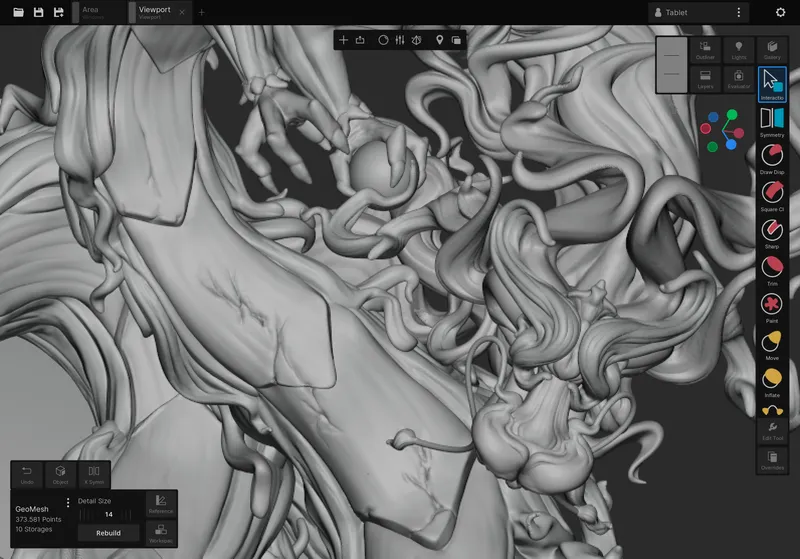
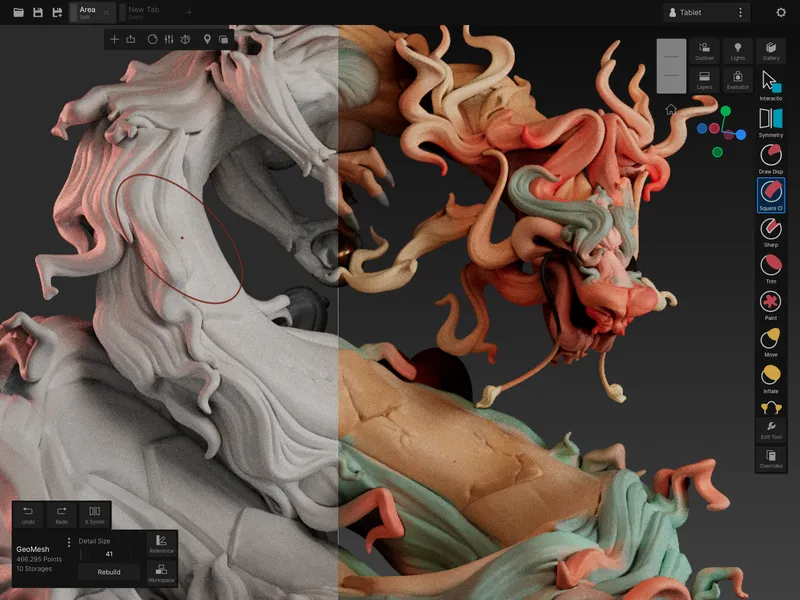
High Poly Sculpting
Sculpt high-poly models with millions of polygons with fully GPU-accelerated tools. Manage your high frequency details with ease by using powerful procedural layers, filters and subdivision levels.
- Subdivision-based sculpting
- Displacement layers
- VDM, Textured brushes and stamps
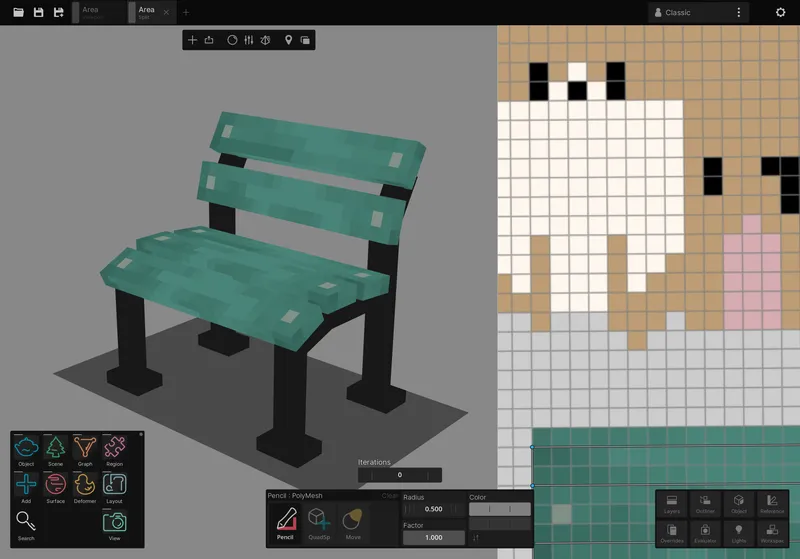
Pixel Art
Create pixel perfect, low poly models with complete control over the pixel grid. Paint both in 3D and 2D with the precision tools.
- Per-pixel painting tools
- Manual UV pixel snapping
- Global color palettes
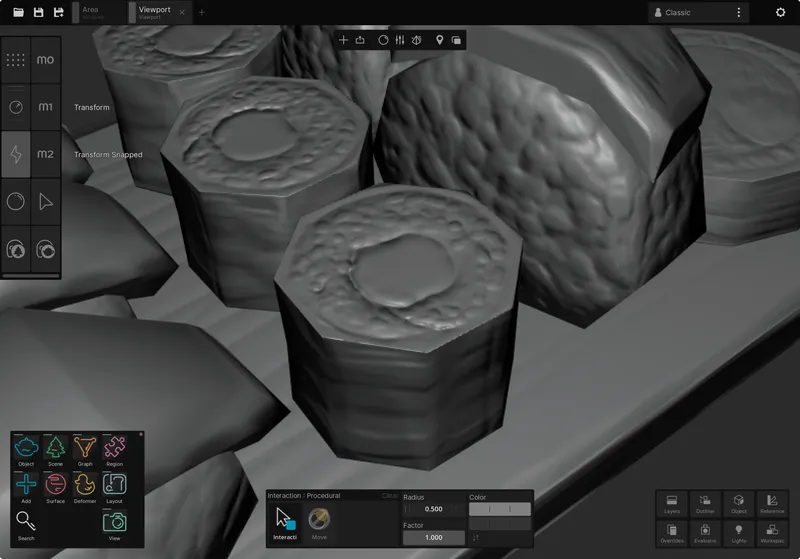
Normal Map Authoring
Edit normal maps using sculpting tools directly on the game-ready model. No baking, no high poly meshes. Speed up your game asset creation workflow.
- Real-time normal map preview
- Convert normal map to geometry
- Fix baking errors
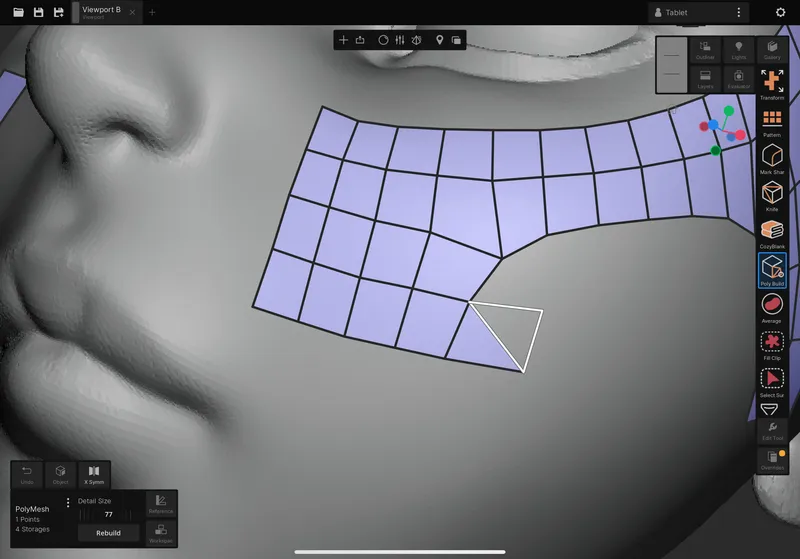
Retopology
Create low poly meshes or panels in your scene with complete control over topology. Use CozyBlanket's pen tool to draw directly on the high poly model.
- OpenSubdiv preview
- Cylinder contours and grid fills
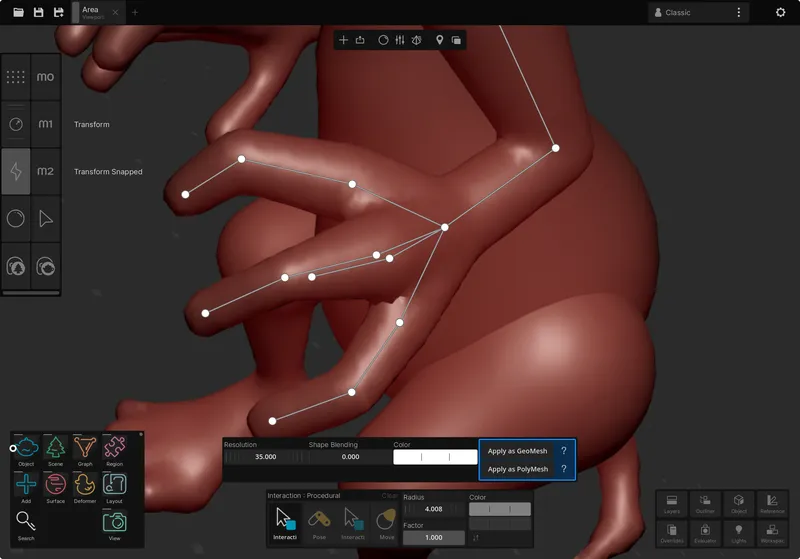
Posing and Shape Keys
Deform your entire scene with powerful, multi object tools. Take advantage of Uniform's performance to quickly pose high poly meshes directly
- Automatic Pose tool
- Elastic deformers
- Topology relax
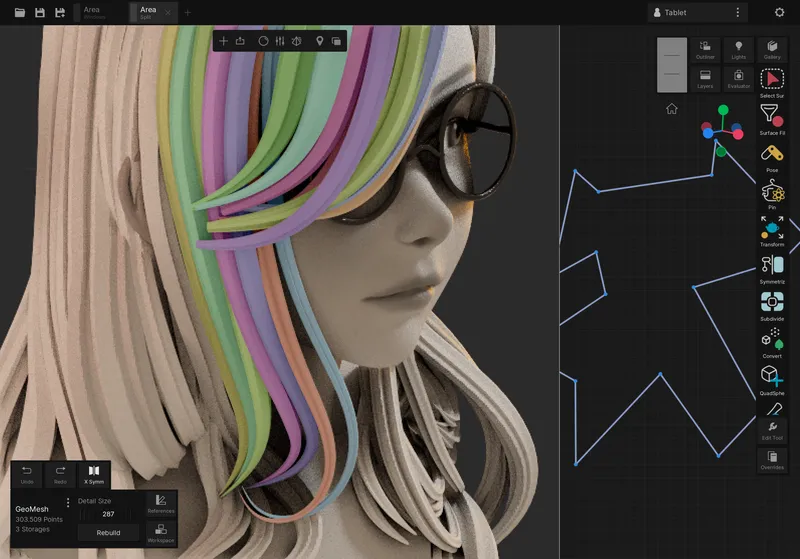
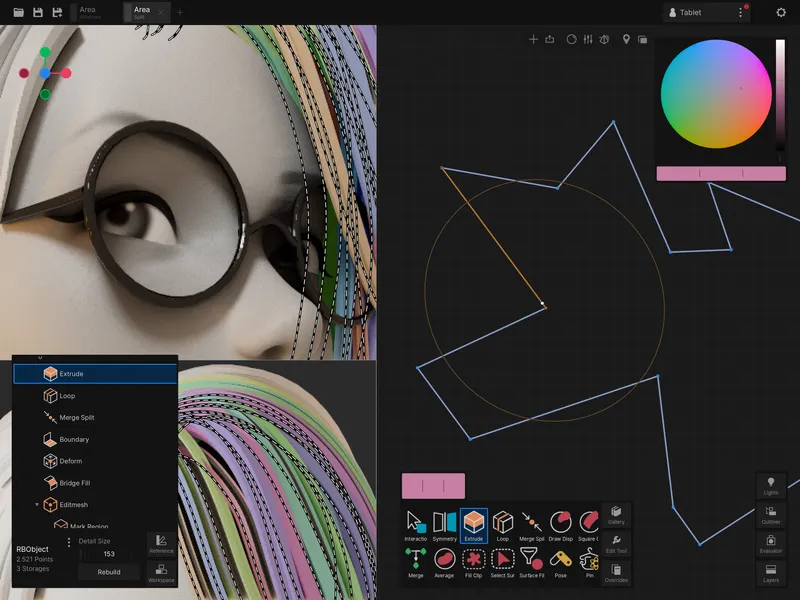
Stylized Hair Design
Create stylized hair with the high-performance curve tools. Use sculpting tools to quickly reshape the general hair flow.
- Custom editable profiles
- Intuitive curve gizmos
- Procedural effects
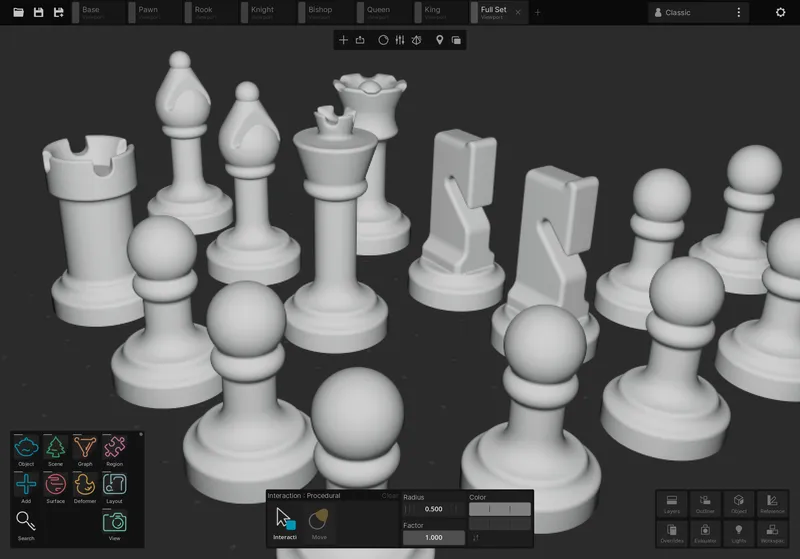
SDF Volume Modeling
Create smooth, clean surfaces using SDF solid volumes. Use SDF shapes to quickly create hard surface objects or print-ready models.
- Optimized SDF rendering
- Booleans, blend modes and groups
- SDF to mesh conversion
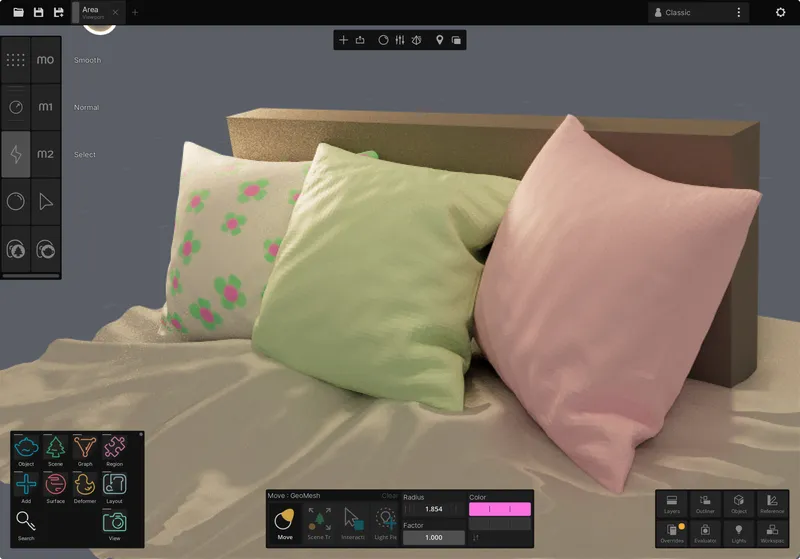
Cloth Simulations
Simulate cloth and soft body physics with interactive physics solver. Add simulation effects on top of any deformer to generate extra detail on high poly meshes.
- High perofrmance cloth solver
- Rope simulations
- Pressure and shear forces
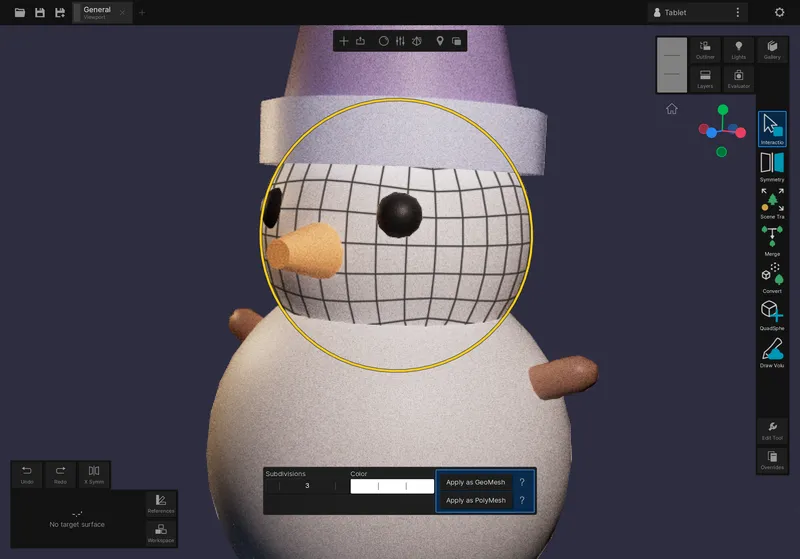
Low Poly Mesh Modeling
Create low poly models with manual uv mapping and shading normals. Use low poly models as base meshes for high poly sculpting or as textured game assets.
- Procedural mesh primitives
- Extrude, insert loop and merge tools
- Manual seam marking and UV packing
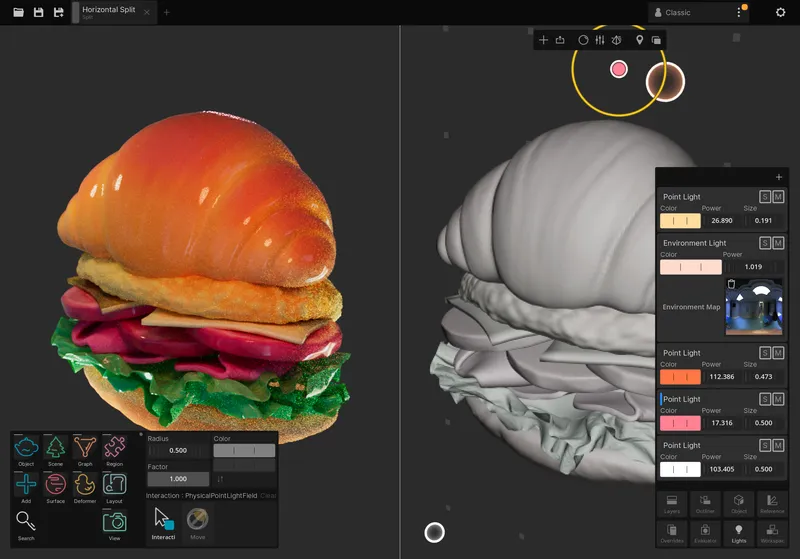
Lighting and Rendering
Create realistic lighting setups with the path traced real-time GI. Use the scene light mixer and multi-viewport support to adjust the lighting of your scene in real-time.
- Path traced real-time GI
- PBR material channels
- Scene light mixer
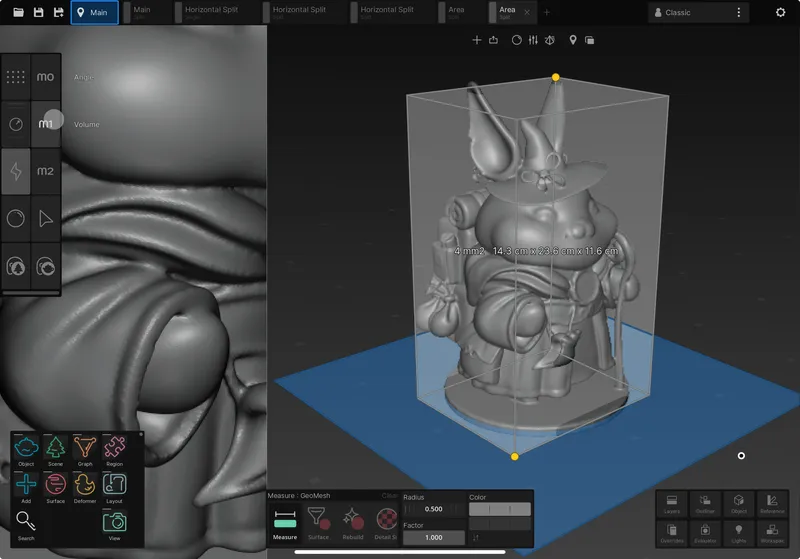
Baking and Data Processing
Bake data from geometry to texture, from texture to texture, or from texture to geometry. Generate occlusion data for any geometry data type. Use custom exporters to automatically optimize game asset textures and size.
- Texture UV remapping
- Normal map baking
- Configurable exporters
Ready to Use
200+ tools, presets and configuration overrides to get you started, all conveniently tagged and searchable from the Gallery.

Ambient Occlusion Surface Process

Anchor Deformer

Apply Curve

Attract Curve Kernel Deformer

Attract Simulation Kernel Deformer

Average Color Brush

Blob Volume Sketch

Boundary Deformer

Boundary Graph Layout

Box Object

Braid Curve

Bridge Graph Layout

Brush Backface Culling

Chart Surface View

Circle Build Curve

Circle Profile

Circle Stroke

Clear Transform Deformation Filter

Clone Curve

Cloth Build Mesh

Cloth Deformer

Color Dot Stamp

Color Surface Capture

Color Surface Expand

Color Surface Filter

Color Surface Gradient

Color Surface Pencil

Color Surface Sampler

Color Surface Selection Generator

Contour Sequence Polystrip

Convert Node

Copy Region

Cozy Pencil

Create Region Clip

Curvature Surface Influence

Curve Array

Cycloid Stroke

Cylinder Object

Deformation Filter

Deformation Selection Draw Clip

Deformer Graph Layout

Delete Region Edit

Disk Build Mesh

Disk Object

Distance Measure

Draw Build Curve

Draw Displacement Brush

Draw Sequence Curve

Draw Sequence Volume Sketch

Duplicate Create Node

Duplicate Region Edit

Edit Detail Surface

Elastic Delta Deformer

Enviroment Field Create Node

Extend Contour

Extend Simulation Kernel Deformer

Extrude Graph Layout

Fill Color Surface Clip

Fill Surface Expand

Flip Layout

Geo Curve Custom

Geo Curve Object

Geo Curve Remesh

Geo Curve Volume

Geodesic Move Delta Deformer

Gizmo Duplicate Create Node

Grid Array

Grid Build Mesh

Grid Object

Grid Snap

Helix Curve

Hook Sequence Delta Deformer

Import Buffer Build Mesh

Inflate Localized Deformer

Init Region

Insert Curve Kernel Deformer

Interaction

Laplacian Smooth Displacement Brush

Lathe Mesh Object

Layer Mask Filter

Light Field Create Node

Light Tweak Surface View

Line Build Curve

Line Profile

Loop Graph Layout

Merge Graph Layout

Merge Node

Mesh Kernel Deformer

Move Delta Deformer

Multipass

Object Capture

Object Reference

Object Region Draw Clip

Object Transform Delta Deformer

Object Visibility Region

Origin Object

Paint Color

Paint Color Brush

Paint Material

Patch Mesh Object
A Game Changer
Uniform provides a complete pipeline for game asset creation. From initial concept to engine-ready implementation.
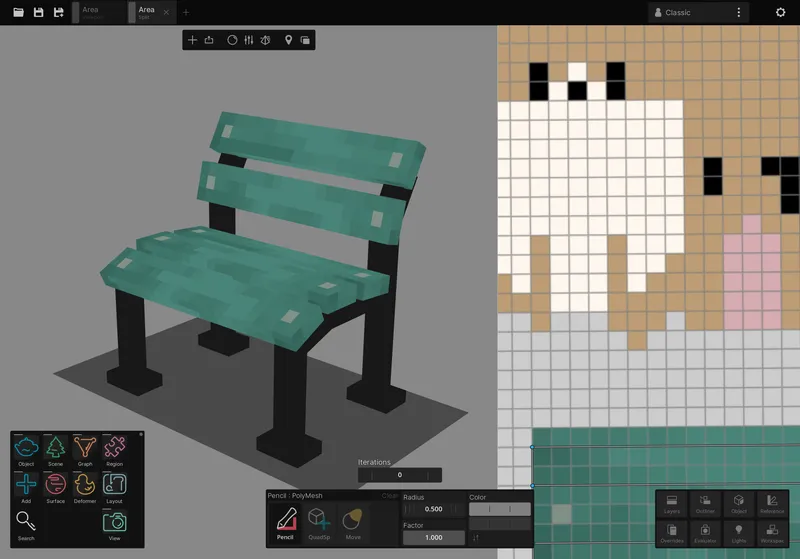
Model & UV Toolkit
Low-poly modeling with UV unwrapping and manual texture packing. Ideal for hand-painted models and pixel art textures.
Retopology
CozyBlanket pencil tool, poly build and cylinder contour tools.
Baking Suite
High-to-low poly baking and texture-to-texture baking, including normal map and ambient occlusion.
Export Optimizer
Automatically combine textures and normal maps into single-set materials.
Normal Map Revolution
Simplify your game asset workflow by skipping the high poly sculpting and baking process. Uniform's Normal Map Sculpting system lets you directly sculpt surface details using familiar tools while generating optimized normal maps in real-time.
Engineered for Performance
Uniform was written from scratch to take full advantage of modern hardware and architectures. A leap in performance that will change how you approach your projects.
Unified Memory
Native support for concurrent memory access between CPU and GPU.
GPU Support
GPU accelerated sculpting and painting brushes, filters, deformers and layer compositors.
Minimal latency
Brushes can handle hundreds of updates per second, making fast strokes super responsive.
Granular Updates
Precise scene graph for optimized, local updates on large scenes.
Tools you never thought possible
See how Uniform's architecture enables resource intensive features in real-time
Aggressive Smooth
- Use smooth brushes with hundred of iterations on high poly meshes to quickly erase all surface detail.
Palette Editing
- Update all textures and vertex color data in real time from a single place
Elastic Deformers
- Use complex deformation tools on tens on millions of active points across multiple objects.
Interactive Simulations
- Run GPU-accelerated interactive particle simulations with hundred of thousands of points.
Make it your own
Every tool setting, UI element, and input method adapts to your workflow. Uniform evolves from classroom to studio through limitless customization.
Tailored Experience
Redesign the interface by dragging and dropping widgets, rearranging panels, and creating custom toolbars. Customize all shortcuts and tool settings to match your preferences.
Portable Work Environments
Package entire configurations into a single profile file, containing UI layouts, tool presets, asset libraries, and input maps. Switch profiles while working to make Uniform behave like a new software.
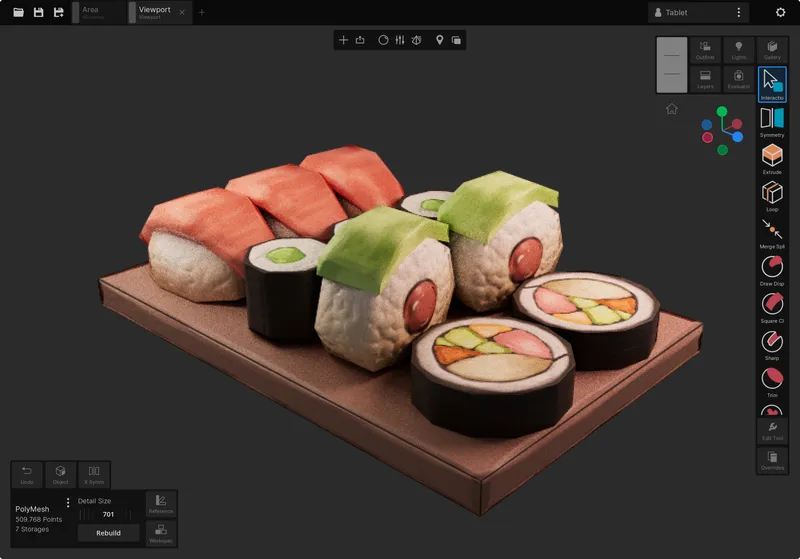
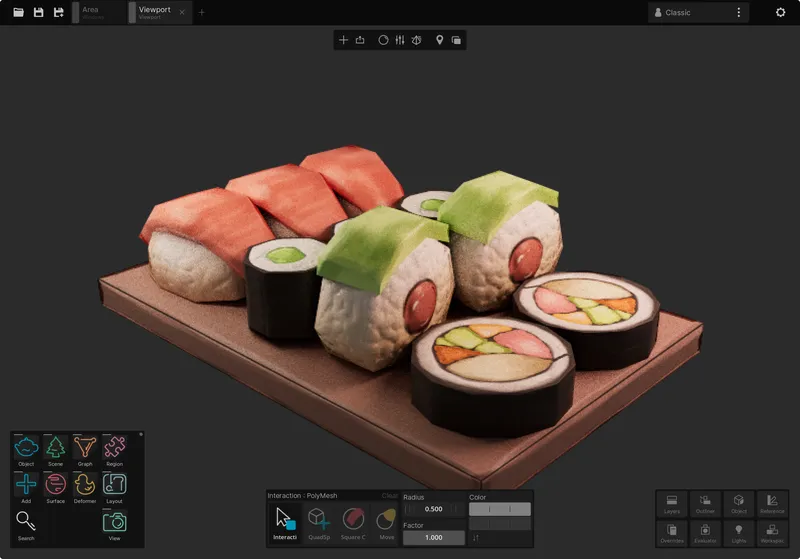
Share complete profiles with one click - perfect for classroom setups, studio standardization, or maintaining consistency across personal devices
Advanced Real-Time Rendering
Uniform's real-time viewport supports both customizable surface visualization and final frame rendering.
Dynamic Surface Views
Seamlessly transition between viewport configurations for focused analysis of volumes, colors, and light contribution. Create NPR compositions directly in the viewport without complex compositing setups.
Physically-Based Rendering
Uniform viewports use real-time path tracing for global illumination, PBR materials and soft shadows. The renderer also supports subsurface scattering and optimized SDF evaluations.
Multi-Context Workspace
Uniform Workspace files contain multiple scenes, objects, viewports and layouts. Objects can be instanced between different scenes with real-time updates. Organize your projects in a way that makes sense to you.
Scene & Object Instances
Embed live-updating scene references within other contexts. Build complex models through scene composition while keeping everything editable.
Scene Duplication
Create variant scenes for specialized purposes like 3D printing prep or LOD generation.
Per-Viewport Export
Configure unique export settings and render settings per viewport. Maintain multiple output configurations within a single workspace.
Batch Exporting
Process multiple export configurations simultaneously. Generate multiple renders or formats in a single operation.
Multi-Camera Control
Link camera movements across different viewports. Overlap viewports on top of each other as reference images or split them into separate windows for simultaneous editing.
Start Creating Today
Uniform is now available for iPadOS

Uniform
3D Editor

Requires iPadOS 18 or later. An iPad with an M series chip is recommended for optimal performance.